Forms and confirmations
Conversational workflows can ask the user for structured input — typed fields with validation, single- or multi-choice options, file uploads, accept/decline confirmations. Use FormInput for full forms and ConfirmationInput / AcceptDeclineConfirmation for single-click prompts.
Structured form inputs
For workflows that need structured form input with typed fields, validation, and custom UI rendering, use FormInput instead of ChatInput:
from datetime import date, datetime

import mistralai.workflows as workflows
import mistralai.workflows.plugins.mistralai as workflows_mistralai
from mistralai.workflows.conversational import (
    FormInput,
    TextField,
    NumberField,
    DateField,
    DateTimeField,
    SingleChoice,
)


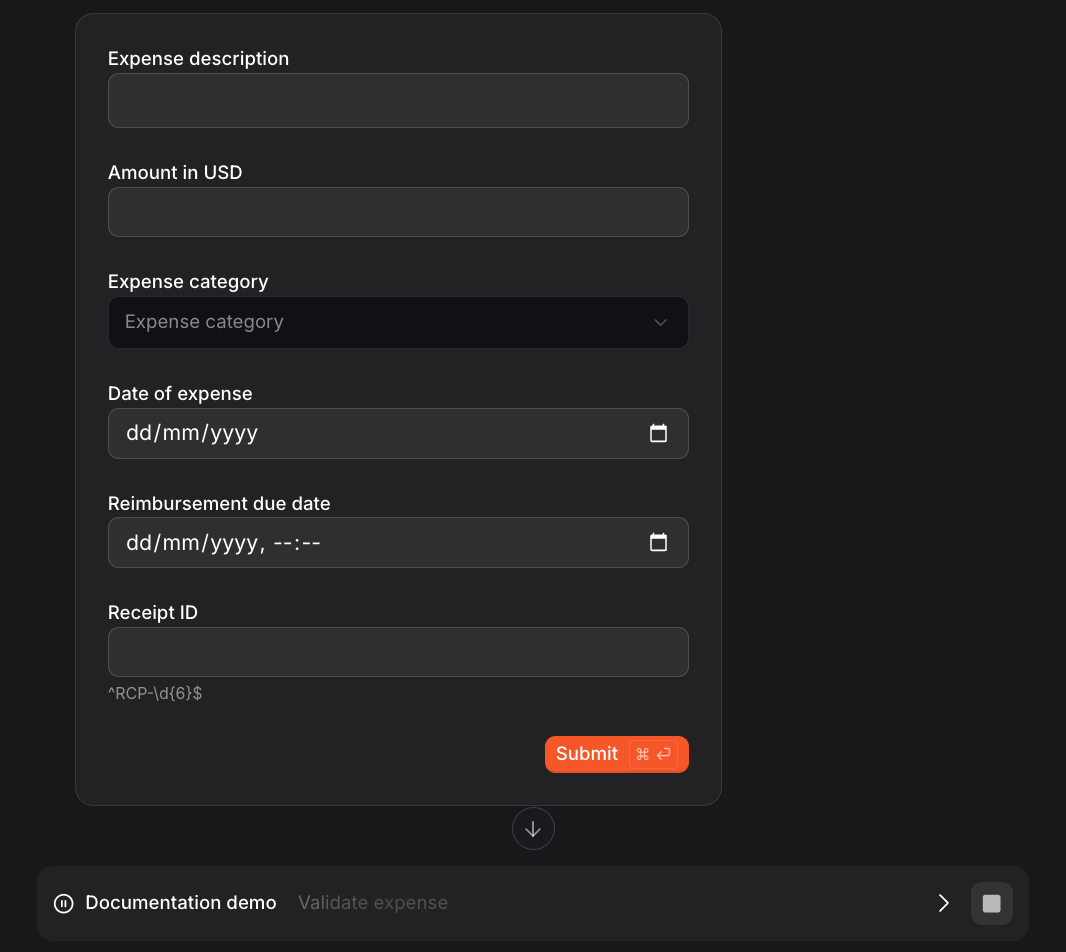
class ExpenseForm(FormInput):
    """Structured form for expense submission."""

    description: str = TextField(description="Expense description")
    amount: float = NumberField(
        description="Amount in USD",
        minimum=0,
        maximum=10000,
    )
    category: str = SingleChoice(
        options=[
            ("travel", "Travel"),
            ("equipment", "Equipment"),
            ("software", "Software"),
        ],
        description="Expense category",
    )
    expense_date: date = DateField(description="Date of expense")
    due_date: datetime = DateTimeField(description="Reimbursement due date")
    receipt_id: str = TextField(
        description="Receipt ID",
        pattern=r"^RCP-\d{6}$",
    )


@workflows.workflow.define(
    name="expense-submission-workflow",
    workflow_display_name="Expense Submission",
    workflow_description="Submit an expense with structured form",
)
class ExpenseSubmissionWorkflow(workflows.InteractiveWorkflow):
    @workflows.workflow.entrypoint
    async def run(self) -> workflows_mistralai.ChatAssistantWorkflowOutput:
        expense = await self.wait_for_input(
            ExpenseForm,
            label="Submit Expense",
        )

        result = f"""Expense submitted:
- Description: {expense.description}
- Amount: ${expense.amount:.2f}
- Category: {expense.category}
- Date: {expense.expense_date.isoformat()}
- Due date: {expense.due_date.isoformat()}
- Receipt: {expense.receipt_id}"""

        return workflows_mistralai.ChatAssistantWorkflowOutput(
            content=[workflows_mistralai.TextOutput(text=result)]
        )
Field types
| Field Type | Description | Properties |
|---|---|---|
TextField | Text input | description, pattern (optional regex), prefilled_value |
NumberField | Numeric input | description, minimum, maximum, exclusive_minimum, exclusive_maximum, prefilled_value |
DateTimeField | Date/time picker | description, prefilled_value (ISO 8601 datetime string) |
DateField | Date picker | description, prefilled_value (ISO 8601 date string) |
SingleChoice | Dropdown/select | options (list of tuples or strings), description, prefilled_value |
MultiChoice | Multi-select | options (list of tuples or strings), description, prefilled_value |
FileField | File upload | description, multiple (default False), include_metadata (default False) |
All field types (except FileField) support an optional prefilled_value parameter. This is a UI hint only — it pre-fills the form field but does not make the field optional. The value must still be explicitly submitted by the user. Invalid prefilled values (out of bounds, non-matching pattern, unknown option) are silently ignored.
TextField
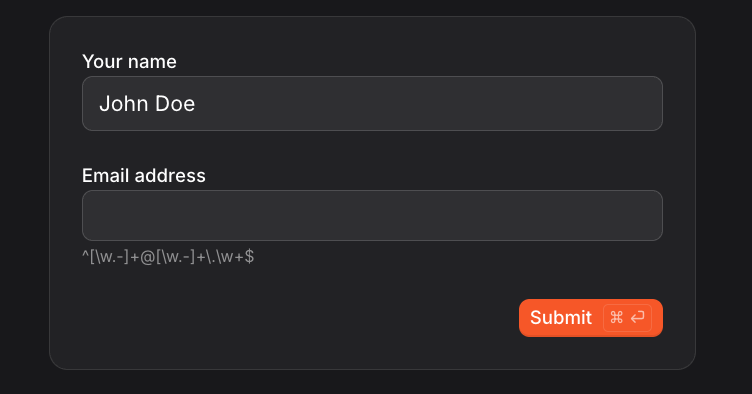
name: str = TextField(description="Your name", prefilled_value="John Doe")
email: str = TextField(
    description="Email address",
    pattern=r"^[\w.-]+@[\w.-]+\.\w+$",  # Optional regex validation
)
NumberField
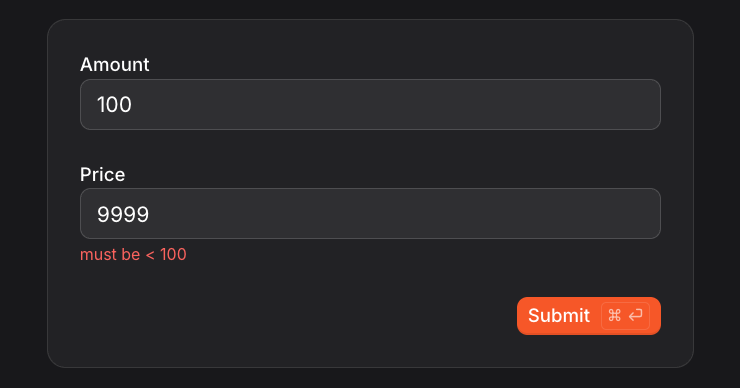
amount: float = NumberField(
    description="Amount",
    minimum=0,           # Inclusive minimum
    maximum=10000,       # Inclusive maximum
    prefilled_value=100,   # Pre-filled value
)
price: float = NumberField(
    description="Price",
    exclusive_minimum=0,   # Must be greater than 0
    exclusive_maximum=100, # Must be less than 100
)
DateTimeField
from datetime import datetime

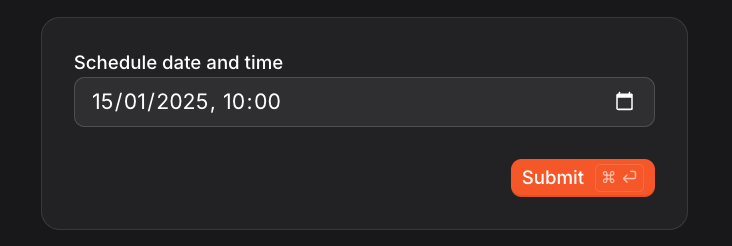
scheduled_at: datetime = DateTimeField(
    description="Schedule date and time",
    prefilled_value="2025-01-15T10:00:00Z",  # ISO 8601 datetime string
)
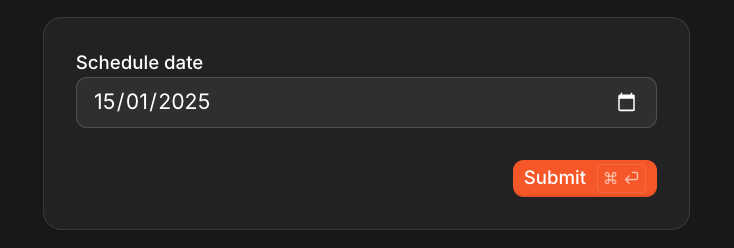
DateField
from datetime import date

scheduled_at: date = DateField(
    description="Schedule date",
    prefilled_value="2025-01-15",  # ISO 8601 date string
)
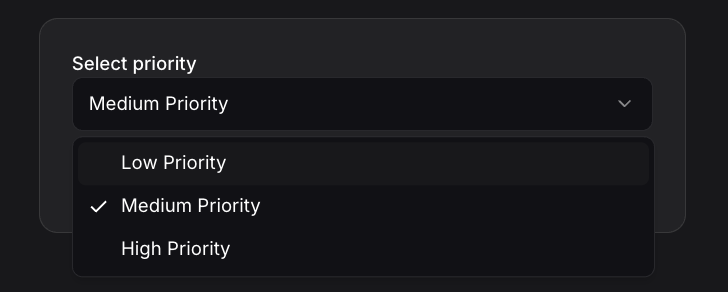
SingleChoice
# With labels (value, display_label)
priority: str = SingleChoice(
    options=[
        ("low", "Low Priority"),
        ("medium", "Medium Priority"),
        ("high", "High Priority"),
    ],
    description="Select priority",
    prefilled_value="medium",  # Pre-selected option
)

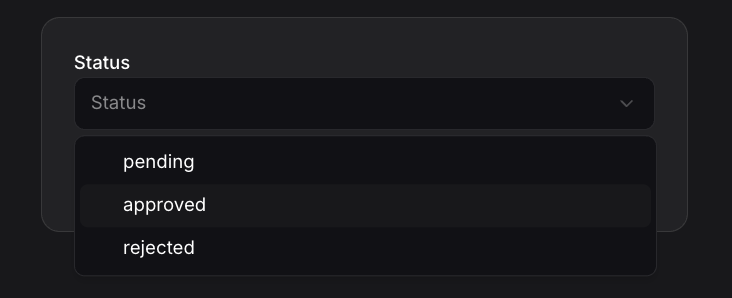
# Simple string options (value = label)
status: str = SingleChoice(
    options=["pending", "approved", "rejected"],
    description="Status",
)
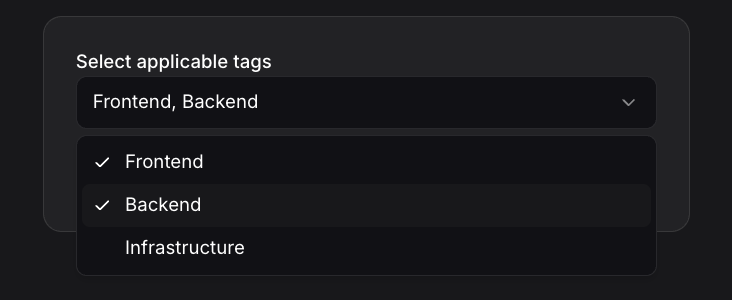
MultiChoice
# With labels (value, display_label)
tags: list[str] = MultiChoice(
    options=[
        ("frontend", "Frontend"),
        ("backend", "Backend"),
        ("infra", "Infrastructure"),
    ],
    description="Select applicable tags",
    prefilled_value=["frontend"],  # Pre-selected options
)

# Simple string options (value = label)
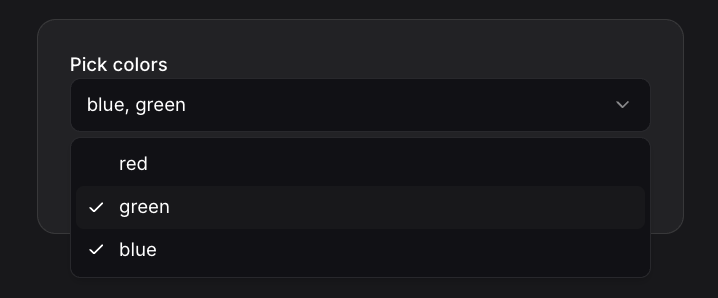
colors: list[str] = MultiChoice(
    options=["red", "green", "blue"],
    description="Pick colors",
)
FileField
from mistralai.workflows.conversational import FileField, FileWithMetadataValue

# Single file upload (plain URL)
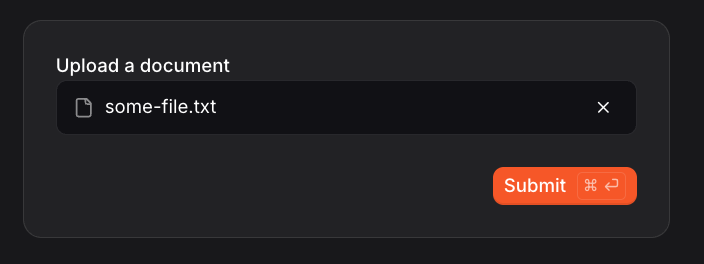
document: str = FileField(description="Upload a document")

# Multiple file uploads (plain URLs)
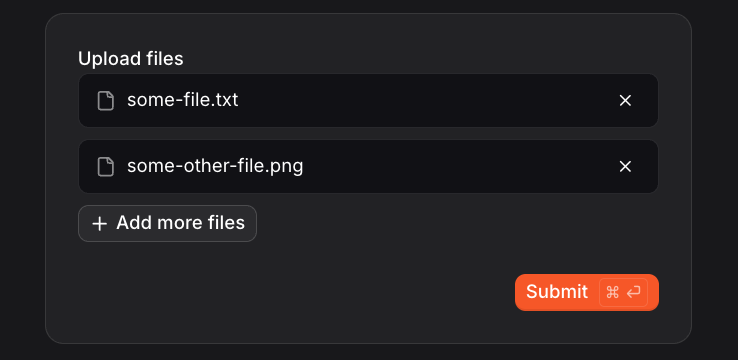
attachments: list[str] = FileField(description="Upload files", multiple=True)

# Single file upload with metadata
document: FileWithMetadataValue = FileField(description="Upload a document", include_metadata=True)

# Multiple file uploads with metadata
attachments: list[FileWithMetadataValue] = FileField(
    description="Upload files", multiple=True, include_metadata=True
)
By default the workflow receives URLs (strings) pointing to files uploaded by the user. With include_metadata=True, it receives FileWithMetadataValue objects instead:
| Field | Type | Required | Description |
|---|---|---|---|
filename | str | Yes | Original filename |
url | str | Yes | Signed URL to download the file |
content_type | str | Yes | MIME type of the file |
These URLs may expire, so if your workflow needs long-term access to the files, it is responsible for storing them elsewhere.
Confirmation inputs
For workflows that need a simple single-choice confirmation with direct submit, use ConfirmationInput or AcceptDeclineConfirmation. These helpers create a single-field form where selecting an option immediately submits the form.
ConfirmationInput
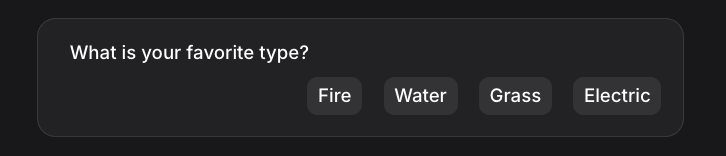
ConfirmationInput provides a list of options that should be rendered as buttons. Selection of an option should immediately submit the form:
import mistralai.workflows as workflows
import mistralai.workflows.plugins.mistralai as workflows_mistralai


@workflows.workflow.define(
    name="type-selection-workflow",
    workflow_display_name="Type Selection",
    workflow_description="Select your favorite type",
)
class TypeSelectionWorkflow(workflows.InteractiveWorkflow):
    @workflows.workflow.entrypoint
    async def run(self) -> workflows_mistralai.ChatAssistantWorkflowOutput:
        await workflows_mistralai.send_assistant_message("Let's find out your type preference!")

        selection = await self.wait_for_input(
            workflows_mistralai.ConfirmationInput(
                options=[
                    ("fire", "Fire"),
                    ("water", "Water"),
                    ("grass", "Grass"),
                    ("electric", "Electric"),
                ],
                description="What is your favorite type?",
            )
        )

        selected_type = selection.choice  # Returns the value, e.g., "fire"
        return workflows_mistralai.ChatAssistantWorkflowOutput(
            content=[workflows_mistralai.TextOutput(text=f"You selected {selected_type}!")]
        )
| Property | Type | Description |
|---|---|---|
options | list[tuple[str, str]] or list[str] | List of options as (value, label) tuples or simple strings |
description | str | Description shown above the options |
The returned object has a choice property containing the selected option value.
AcceptDeclineConfirmation
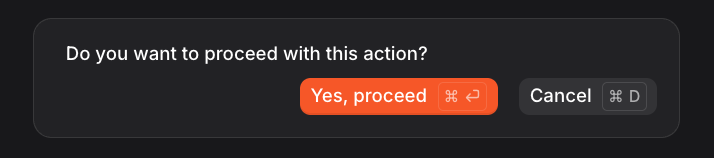
AcceptDeclineConfirmation is a specialized confirmation with two options: accept and decline. Clients can render this as a standard validation UI with keyboard shortcuts for quick responses:
import mistralai.workflows as workflows
import mistralai.workflows.plugins.mistralai as workflows_mistralai


@workflows.workflow.define(
    name="approval-workflow",
    workflow_display_name="Approval",
    workflow_description="Confirm an action",
)
class ApprovalWorkflow(workflows.InteractiveWorkflow):
    @workflows.workflow.entrypoint
    async def run(self) -> workflows_mistralai.ChatAssistantWorkflowOutput:
        confirmation = await self.wait_for_input(
            workflows_mistralai.AcceptDeclineConfirmation(
                description="Do you want to proceed with this action?",
                accept_label="Yes, proceed",
                decline_label="Cancel",
            )
        )

        if workflows_mistralai.is_accepted(confirmation):
            return workflows_mistralai.ChatAssistantWorkflowOutput(
                content=[workflows_mistralai.TextOutput(text="Action confirmed!")]
            )
        else:
            return workflows_mistralai.ChatAssistantWorkflowOutput(
                content=[workflows_mistralai.TextOutput(text="Action cancelled.")]
            )
| Property | Type | Description |
|---|---|---|
description | str | Description shown above the buttons |
accept_label | str | Label for the accept button |
decline_label | str | Label for the decline button |
Use the is_accepted() helper function to check whether the user accepted or declined:
if workflows_mistralai.is_accepted(confirmation):
    # User accepted
    pass
else:
    # User declined
    pass