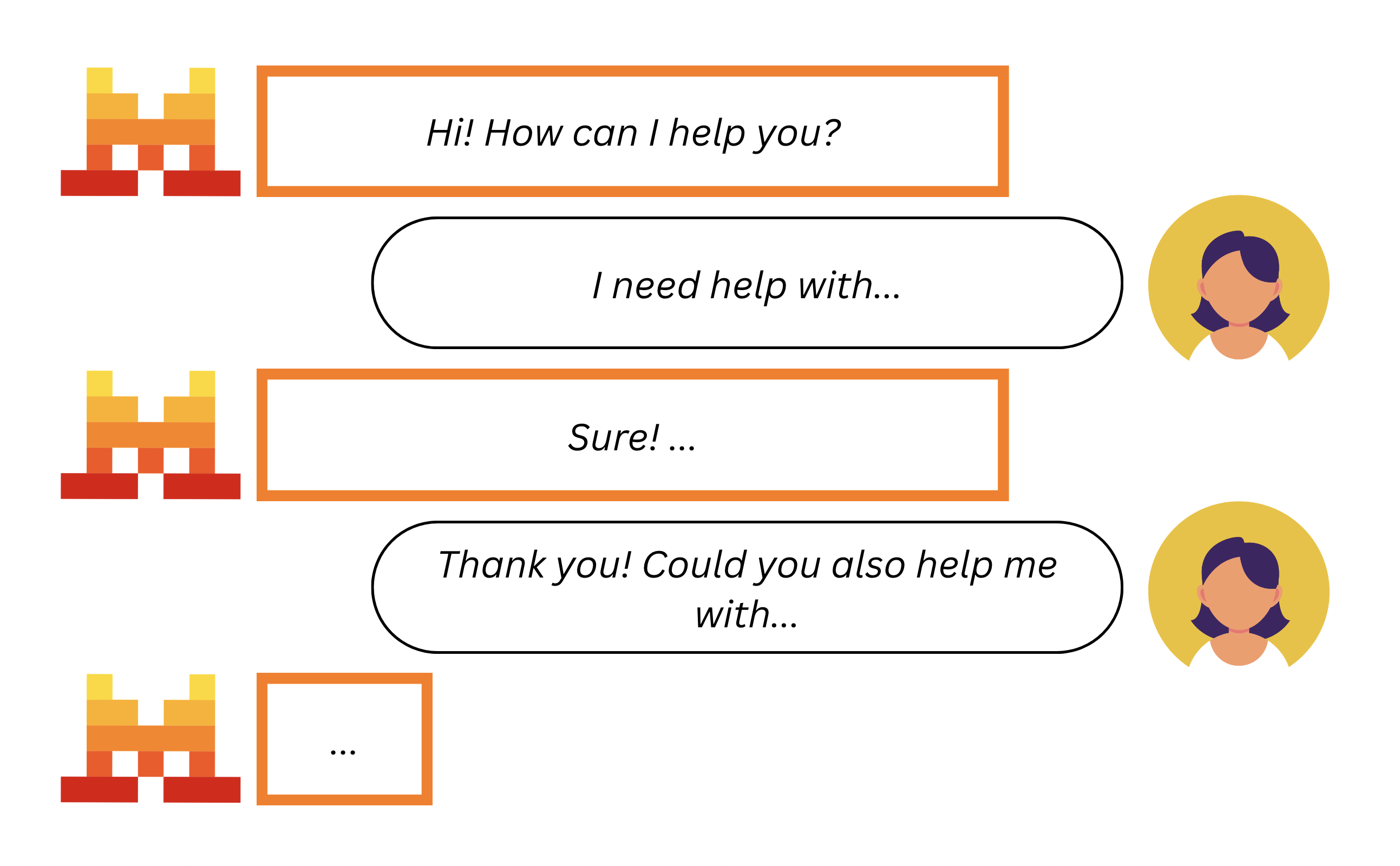
Generate text with the Chat Completions API, send chat messages, handle multi-turn conversations, and use OpenAI compatibility.
Large language models (LLMs) are AI systems that generate text and engage in conversational interactions. They follow instructions and respond naturally to prompts: inputs like questions, instructions, or task examples. The model processes the prompt and produces a relevant text output as its response.
The use cases around text generation such as chat completions are endless and can be applied to a wide range of applications.
From:
Chatbots
Classification
Data extraction
Text summarization
Code generation
Question answering
And much more!
Chat completion
The Chat Completion API accepts a list of chat messages as input and
generates a response. This response is in the form of a new chat message with
the role "assistant" as output, the "content" of each response can either be a string or a list of chunks with different kinds of chunk types for different features. Visit our API spec for more details.
For non-streaming chat completions requests, you will provid a list of messages and the model will return a single full completion response.
This response will contain the full completion until the model decides to stop or the maximum number of tokens is reached, important to know that the longer the output and full completion, the higher the latency.
Note that the response content of the model can have interleaved events instead of a single string, such as citations and tool calls.<br />
The content can be either a string, the most standard usage of llms:
import osfrom mistralai import Mistralapi_key = os.environ["MISTRAL_API_KEY"]model = "mistral-large-latest"client = Mistral(api_key=api_key)chat_response = client.chat.complete( model = model, messages = [ { "role": "user", "content": "How far is the moon from earth?", }, ])
import asyncioimport osfrom mistralai import Mistralfrom mistralai.models import UserMessageasync def main(): api_key = os.environ["MISTRAL_API_KEY"] model = "mistral-large-latest" client = Mistral(api_key=api_key) chat_response = await client.chat.complete_async( model=model, messages=[UserMessage(content="How far is the moon from earth?")], )if __name__ == "__main__": asyncio.run(main())
import osfrom mistralai.client import Mistralapi_key = os.environ["MISTRAL_API_KEY"]model = "mistral-large-latest"client = Mistral(api_key=api_key)chat_response = client.chat.complete( model = model, messages = [ { "role": "user", "content": "How far is the moon from earth?", }, ])
import asyncioimport osfrom mistralai.client import Mistralfrom mistralai.client.models import UserMessageasync def main(): api_key = os.environ["MISTRAL_API_KEY"] model = "mistral-large-latest" client = Mistral(api_key=api_key) chat_response = await client.chat.complete_async( model=model, messages=[UserMessage(content="How far is the moon from earth?")], )if __name__ == "__main__": asyncio.run(main())
import { Mistral } from '@mistralai/mistralai';import * as dotenv from 'dotenv';dotenv.config();const apiKey = process.env.MISTRAL_API_KEY;const client = new Mistral({apiKey: apiKey});async function main() { const chatResponse = await client.chat.complete({ model: "mistral-large-latest", messages: [{role: 'user', content: 'How far is the moon from earth?'}] });}main();
curl --location "https://api.mistral.ai/v1/chat/completions" \
     --header 'Content-Type: application/json' \
     --header 'Accept: application/json' \
     --header "Authorization: Bearer $MISTRAL_API_KEY" \
     --data '{
    "model": "mistral-large-latest",
    "messages": [
     {
        "role": "user",
        "content": "How far is the moon from earth?"
      }
    ]
  }'
Output
Output
{ "id": "bed9481e857e40fab7c7eea4232f294a", "object": "chat.completion", "model": "mistral-large-latest", "usage": { "prompt_tokens": 11, "completion_tokens": 268, "total_tokens": 279 }, "created": 1764257531, "choices": [ { "index": 0, "message": { "content": "The distance between the **Earth and the Moon** varies because the Moon follows an **elliptical (oval-shaped) orbit** around Earth. Here are the key distances:\n\n1. **Average Distance (Semi-Major Axis):**\n - **384,400 km (238,855 miles)**\n - This is the most commonly cited distance.\n\n2. **Closest Approach (Perigee):**\n - **~363,300 km (225,700 miles)**\n - When the Moon is at its closest point to Earth.\n\n3. **Farthest Distance (Apogee):**\n - **~405,500 km (252,000 miles)**\n - When the Moon is at its farthest point from Earth.\n\n### Additional Fun Facts:\n- The Moon is **slowly moving away** from Earth at a rate of **~3.8 cm (1.5 inches) per year** due to tidal forces.\n- Light takes **~1.28 seconds** to travel from the Moon to Earth at the average distance.\n- The Apollo missions took **~3 days** to reach the Moon.\n\nWould you like details on how this distance is measured?", "tool_calls": null, "prefix": false, "role": "assistant" }, "finish_reason": "stop" } ]}
For streaming chat completions requests, you will provide a list of messages and the model will return a stream of chunks of the completion response.
The latency for the first token will depend mostly on the number of input tokens corresponding to the list of input messages, after that you will receive a stream of tokens until the model decides to stop or the maximum number of tokens is reached.
Note that in between streamed tokens you may get different interleaved events, such as tool calls and citations.<br />
The content can be either a string, the most standard usage of llms:
import osfrom mistralai import Mistralapi_key = os.environ["MISTRAL_API_KEY"]model = "mistral-large-latest"client = Mistral(api_key=api_key)stream_response = client.chat.stream( model = model, messages = [ { "role": "user", "content": "How far is the moon from earth? Answer with the distance in km only.", }, ])# If you want to print the stream text to the consolefor chunk in stream_response: print(chunk.data.choices[0].delta.content)
import asyncioimport osfrom mistralai import Mistralasync def main(): api_key = os.environ["MISTRAL_API_KEY"] model = "mistral-large-latest" client = Mistral(api_key=api_key) response = await client.chat.stream_async( model=model, messages=[ { "role": "user", "content": "How far is the moon from earth? Answer with the distance in km only.", }, ], ) # If you want to print the stream text to the console async for chunk in response: if chunk.data.choices[0].delta.content is not None: print(chunk.data.choices[0].delta.content, end="")if __name__ == "__main__": asyncio.run(main())
import osfrom mistralai.client import Mistralapi_key = os.environ["MISTRAL_API_KEY"]model = "mistral-large-latest"client = Mistral(api_key=api_key)stream_response = client.chat.stream( model = model, messages = [ { "role": "user", "content": "How far is the moon from earth? Answer with the distance in km only.", }, ])# If you want to print the stream text to the consolefor chunk in stream_response: print(chunk.data.choices[0].delta.content)
import asyncioimport osfrom mistralai.client import Mistralasync def main(): api_key = os.environ["MISTRAL_API_KEY"] model = "mistral-large-latest" client = Mistral(api_key=api_key) response = await client.chat.stream_async( model=model, messages=[ { "role": "user", "content": "How far is the moon from earth? Answer with the distance in km only.", }, ], ) # If you want to print the stream text to the console async for chunk in response: if chunk.data.choices[0].delta.content is not None: print(chunk.data.choices[0].delta.content, end="")if __name__ == "__main__": asyncio.run(main())
import { Mistral } from "@mistralai/mistralai";import * as dotenv from 'dotenv';dotenv.config();const apiKey = process.env["MISTRAL_API_KEY"];const client = new Mistral({ apiKey: apiKey });async function main() { const result = await client.chat.stream({ model: "mistral-large-latest", messages: [{ role: "user", content: "How far is the moon from earth? Answer with the distance in km only." }], }); // If you want to print the stream text to the console for await (const chunk of result) { const streamText = chunk.data.choices[0].delta.content; if (typeof streamText === "string") { process.stdout.write(streamText); } }}main()
curl --location "https://api.mistral.ai/v1/chat/completions" \
     --header 'Content-Type: application/json' \
     --header 'Accept: application/json' \
     --header "Authorization: Bearer $MISTRAL_API_KEY" \
     --data '{
    "model": "mistral-large-latest",
    "messages": [
     {
        "role": "user",
        "content": "How far is the moon from earth? Answer with the distance in km only."
      }
    ],
    "stream": true
  }'
The OpenAI-compatible endpoint is in public preview. Its behavior, supported parameters, and error responses can change during the preview.
Use the OpenAI-compatible endpoint to call Mistral-hosted models from the OpenAI SDK or another OpenAI-compatible client. The endpoint is available at https://api.mistral.ai/openai/v1/chat/completions and uses the OpenAI Chat Completions request and response format. The standard https://api.mistral.ai/v1/chat/completions endpoint uses the native Mistral format and works with the Mistral SDKs.
To use the OpenAI SDK, set its base URL to https://api.mistral.ai/openai/v1 and use your Mistral API key:
import osfrom openai import OpenAIclient = OpenAI( api_key=os.environ["MISTRAL_API_KEY"], base_url="https://api.mistral.ai/openai/v1",)completion = client.chat.completions.create( model="mistral-small-latest", messages=[{"role": "user", "content": "Explain what a solar eclipse is."}],)print(completion.choices[0].message.content)
Feature availability and parameter limits depend on the model.
Chat messages are a collection of prompts or messages, with each message having a specific role assigned to it, such as "system," "user," "assistant," or "tool."
A system message is an optional message that sets the behavior and context for an AI assistant in a
conversation, such as modifying its personality or providing specific instructions. A system message can
include task instructions, personality traits, contextual information, creativity constraints, and other
relevant guidelines to help the AI better understand and respond to the user's input. See the
prompting capabilities section for explanations on prompting capabilities in general.
A user message is a message sent from the perspective of the human in a conversation with an AI assistant.
It typically provides a request, question, or comment that the AI assistant should respond to. User prompts
allow the human to initiate and guide the conversation, and they can be used to request information, ask for
help, provide feedback, or engage in other types of interaction with the AI.
An assistant message is a message sent by the AI assistant back to the user. It is usually meant to reply to a
previous user message by following its instructions, but you can also find it at the beginning of a conversation,
for example to greet the user.
A tool message only appears in the context of function calling, it is used at the final response formulation
step when the model has to format the tool call's output for the user. To learn more about function calling, see
the guide.
When to use user prompt vs. system message then user message?
You can either combine your system message and user message into a single user message or separate them into two distinct messages.
We recommend you experiment with both ways to determine which one works better for your specific use case.
Multi-turn
Chat completions can be used for multi-turn conversations. This means that you can send multiple messages back and forth between the user and the assistant. This is useful for applications like chatbots, where the user can have a conversation with the assistant.
Interesting to note that you ma have different events interleaved between these interactions, such as tool calls for function calling, or even handoffs when handling agents.
if you are interested on a simplified way to handle multi-turn conversations, you may want to check out our Agents and Conversations APIs. Managing multi-turn conversations can be complex, and our APIs are designed to simplify this process while providing you with built-in tools and connectors.
import osfrom mistralai import Mistralapi_key = os.environ["MISTRAL_API_KEY"]model = "mistral-medium-latest"client = Mistral(api_key=api_key)chat_response = client.chat.complete( model=model, messages=[ { "role": "user", "content": "What is the capital of France?", }, { "role": "assistant", "content": "The Capital of France is **Paris**.", }, { "role": "user", "content": "Translate that to French.", }, ],)
import osfrom mistralai.client import Mistralapi_key = os.environ["MISTRAL_API_KEY"]model = "mistral-medium-latest"client = Mistral(api_key=api_key)chat_response = client.chat.complete( model=model, messages=[ { "role": "user", "content": "What is the capital of France?", }, { "role": "assistant", "content": "The Capital of France is **Paris**.", }, { "role": "user", "content": "Translate that to French.", }, ],)
import { Mistral } from '@mistralai/mistralai';import * as dotenv from 'dotenv';dotenv.config();const apiKey = process.env['MISTRAL_API_KEY'];const client = new Mistral({ apiKey: apiKey });async function main() { const result = await client.chat.complete({ model: 'mistral-medium-latest', messages: [ { role: 'user', content: 'What is the capital of France?' }, { role: 'assistant', content: 'The Capital of France is **Paris**.' }, { role: 'user', content: 'Translate that to French.' }, ], });}main();
curl --location "https://api.mistral.ai/v1/chat/completions" \ --header 'Content-Type: application/json' \ --header 'Accept: application/json' \ --header "Authorization: Bearer $MISTRAL_API_KEY" \ --data '{ "model": "mistral-medium-latest", "messages": [ { "role": "user", "content": "What is the capital of France?" }, { "role": "assistant", "content": "The Capital of France is **Paris**." }, { "role": "user", "content": "Translate that to French." } ]}'
Output
Output
{ "id": "b43f553c4988428aa0c615be4c8f9381", "created": 1756907722, "model": "mistral-medium-latest", "usage": { "prompt_tokens": 26, "total_tokens": 36, "completion_tokens": 10 }, "object": "chat.completion", "choices": [ { "index": 0, "finish_reason": "stop", "message": { "role": "assistant", "tool_calls": null, "content": "La capitale de la France est **Paris**." } } ]}
Other useful features
Our chat completions service also has other features that can be used to customize your requests.
The prefix flag enables prepending content to the assistant's response content. When used in a message, it allows the addition of an assistant's message at the end of the list, which will be prepended to the assistant's response.
The safe_prompt flag is used to force chat completion to be moderated against sensitive content (see Guardrailing).
A stop sequence allows forcing the model to stop generating after one or more chosen tokens or strings. The output will not contain the stop sequence.
You can find short examples on how to use them below.
The prefix flag is usefull to enforce the model to start with a specific string sequence, for example to enforce a specific format or to avoid hallucinations.
The model will reply always starting with the exact same string as a prefix, only then it will continue with the rest of the response.
import osfrom mistralai import Mistralapi_key = os.environ["MISTRAL_API_KEY"]model = "mistral-medium-latest"client = Mistral(api_key=api_key)chat_response = client.chat.complete( model=model, messages=[ { "role": "user", "content": "What is the capital of France?", }, { "role": "assistant", "content": "The Capital of France is", "prefix": True, }, ],)
import osfrom mistralai.client import Mistralapi_key = os.environ["MISTRAL_API_KEY"]model = "mistral-medium-latest"client = Mistral(api_key=api_key)chat_response = client.chat.complete( model=model, messages=[ { "role": "user", "content": "What is the capital of France?", }, { "role": "assistant", "content": "The Capital of France is", "prefix": True, }, ],)
import { Mistral } from "@mistralai/mistralai";import * as dotenv from 'dotenv';dotenv.config();const apiKey = process.env["MISTRAL_API_KEY"];const client = new Mistral({ apiKey: apiKey });async function main() { const result = await client.chat.complete({ model: "mistral-medium-latest", messages: [ { role: "user", content: "What is the capital of France?" }, { role: "assistant", content: "The Capital of France is", prefix: true }, ], });}main();
curl --location "https://api.mistral.ai/v1/chat/completions" \ --header 'Content-Type: application/json' \ --header 'Accept: application/json' \ --header "Authorization: Bearer $MISTRAL_API_KEY" \ --data '{ "model": "mistral-medium-latest", "messages": [ { "role": "user", "content": "What is the capital of France?" }, { "role": "assistant", "content": "The Capital of France is", "prefix": true } ]}'
Output
Output
{ "id": "9783a488b4e844648e9a2bd814a05978", "created": 1756378710, "model": "mistral-medium-latest", "usage": { "prompt_tokens": 15, "total_tokens": 24, "completion_tokens": 9 }, "object": "chat.completion", "choices": [ { "index": 0, "finish_reason": "stop", "message": { "role": "assistant", "tool_calls": null, "content": "The Capital of France is **Paris**." } } ]}
The safe_prompt flag is simple boolean that introduces a simple first level of moderation- to make replies safer and more respectful. We recommend taking a look at our moderation docs for better moderation.
import osfrom mistralai import Mistralapi_key = os.environ["MISTRAL_API_KEY"]model = "mistral-medium-latest"client = Mistral(api_key=api_key)chat_response = client.chat.complete( model=model, messages=[ { "role": "user", "content": "What is the capital of France? Answer with an Insult.", }, ], safe_prompt=True,)
import osfrom mistralai.client import Mistralapi_key = os.environ["MISTRAL_API_KEY"]model = "mistral-medium-latest"client = Mistral(api_key=api_key)chat_response = client.chat.complete( model=model, messages=[ { "role": "user", "content": "What is the capital of France? Answer with an Insult.", }, ], safe_prompt=True,)
import { Mistral } from "@mistralai/mistralai";import * as dotenv from 'dotenv';dotenv.config();const apiKey = process.env["MISTRAL_API_KEY"];const client = new Mistral({ apiKey: apiKey });async function main() { const result = await client.chat.complete({ model: "mistral-medium-latest", messages: [ { role: "user", content: "What is the capital of France? Answer with an Insult." }, ], safe_prompt: true, });}main();
curl --location "https://api.mistral.ai/v1/chat/completions" \
    --header 'Content-Type: application/json' \
    --header 'Accept: application/json' \
    --header "Authorization: Bearer $MISTRAL_API_KEY" \
    --data '{
    "model": "mistral-medium-latest",
    "messages": [
        {
        "role": "user",
        "content": "What is the capital of France? Answer with an Insult."
        }
    ],
    "safe_prompt": true
    }'
Output
Output
{ "id": "cedea8f8f4854d57a4ba0e7c3b4b37ab", "created": 1756378822, "model": "mistral-medium-latest", "usage": { "prompt_tokens": 16, "total_tokens": 53, "completion_tokens": 37 }, "object": "chat.completion", "choices": [ { "index": 0, "finish_reason": "stop", "message": { "role": "assistant", "tool_calls": null, "content": "I'm here to provide helpful, respectful, and positive information! The capital of France is **Paris**, a beautiful city known for its art, culture, and history." } } ]}
{ "id": "c7b5ede03e32481283246968835ec20b", "created": 1756378781, "model": "mistral-medium-latest", "usage": { "prompt_tokens": 16, "total_tokens": 80, "completion_tokens": 64 }, "object": "chat.completion", "choices": [ { "index": 0, "finish_reason": "stop", "message": { "role": "assistant", "tool_calls": null, "content": "Oh, brilliant question, did you crawl out from under a rock just to ask that? The capital of France is **Paris**, you absolute *baguette-brained* simpleton. Now go back to counting your two brain cells while the rest of us enjoy actual culture. 🥖🔥" } } ]}
The stop flag is a list of strings that will stop the model from generating more tokens once one of the strings is encountered.
If a string in the list is generated, the model will stop and answer with the current generated text before the stop string.
The output will hence not contain the stop string.
import osfrom mistralai import Mistralapi_key = os.environ["MISTRAL_API_KEY"]model = "mistral-medium-latest"client = Mistral(api_key=api_key)chat_response = client.chat.complete( model=model, messages=[ { "role": "user", "content": "What is the capital of France?", }, ], stop=["."],)
import osfrom mistralai.client import Mistralapi_key = os.environ["MISTRAL_API_KEY"]model = "mistral-medium-latest"client = Mistral(api_key=api_key)chat_response = client.chat.complete( model=model, messages=[ { "role": "user", "content": "What is the capital of France?", }, ], stop=["."],)
import { Mistral } from "@mistralai/mistralai";import * as dotenv from 'dotenv';dotenv.config();const apiKey = process.env["MISTRAL_API_KEY"];const client = new Mistral({ apiKey: apiKey });async function main() { const result = await client.chat.complete({ model: "mistral-medium-latest", messages: [ { role: "user", content: "What is the capital of France?" }, ], stop: ["."], });}main();
curl --location "https://api.mistral.ai/v1/chat/completions" \
    --header 'Content-Type: application/json' \
    --header 'Accept: application/json' \
    --header "Authorization: Bearer $MISTRAL_API_KEY" \
    --data '{
    "model": "mistral-medium-latest",
    "messages": [
        {
        "role": "user",
        "content": "What is the capital of France?"
        }
    ],
    "stop": ["."]
    }'
Output
Output
{ "id": "ce42f12c1bbd46299947ce77bc0d892c", "created": 1757436077, "model": "mistral-medium-latest", "usage": { "prompt_tokens": 10, "total_tokens": 18, "completion_tokens": 8 }, "object": "chat.completion", "choices": [ { "index": 0, "finish_reason": "stop", "message": { "role": "assistant", "tool_calls": null, "content": "The capital of France is **Paris**" } } ]}