Scaffold a project with Vibe Code
Use the Vibe CLI to generate a full project from a natural-language description, review every change before it's applied, and run the result.
- Natural-language scaffolding: describe what you want and the CLI creates the files.
- Step-by-step confirmation: Vibe Code splits large tasks into steps and asks for approval.
- Full preview: see every file change before it's written to disk.
By the end you'll have a working project scaffolded from a single prompt.
Time to complete: ~10 minutes
Prerequisites
- Vibe CLI installed and configured. If you haven't done that yet, run the Install the Vibe CLI quickstart first.
Scaffolding is a good use case for the plan or accept-edits agents. plan asks Vibe to outline what it will do before generating anything; accept-edits lets Vibe write files without prompting per step. The default agent asks for approval on every edit, which is safest for a first run.
Step 1: Create an empty directory and launch the CLI
Start in a fresh directory so the CLI generates the project from scratch.
mkdir my-project && cd my-project
vibeThe CLI starts with an empty context, ready to scaffold.
If you run vibe in an existing project with a .vibe/ directory, the CLI asks whether you trust the folder before loading any local configuration. See Trusted folders.
Step 2: Describe your project
Give the CLI a clear description. Be specific about language, framework, and key features. For example:
Create a Python Flask API with two endpoints: a
/healthendpoint that returns{"status": "ok"}and a/predictendpoint that accepts a JSON body with a"text"field and returns{"label": "positive", "score": 0.95}. Include arequirements.txtand aREADME.
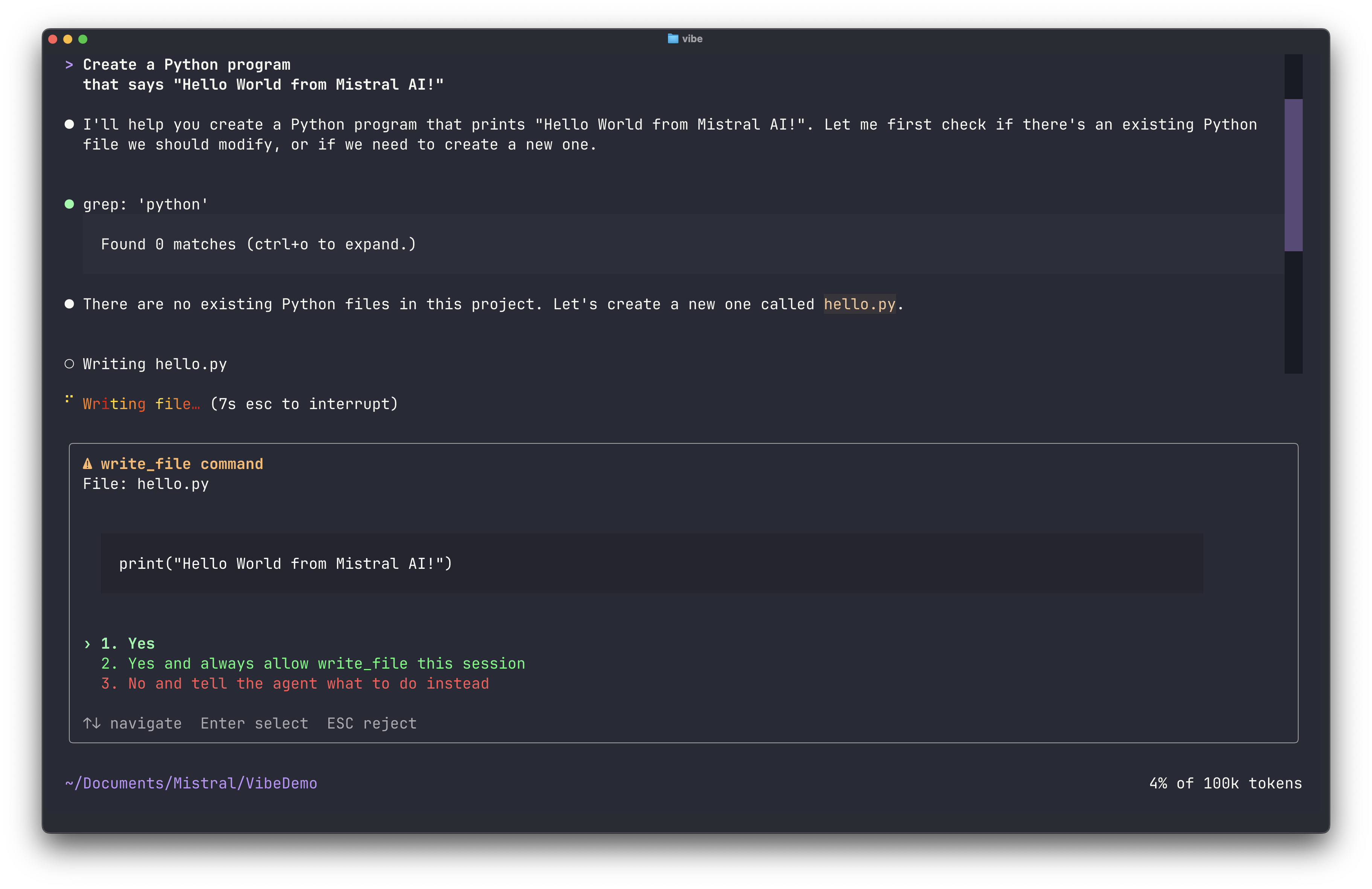
Vibe Code breaks the request into steps and begins generating files. Before creating or editing any file, it shows a preview.
Step 3: Review and approve changes
For each step, the CLI displays the files it plans to create or modify, the content of each file, and a confirmation prompt. Press one of the approval keys:
Enter,1, orYto approve this specific edit.2to approve all edits to this file in the current session.3to approve all edits in this directory.4to approve all edits in the working directory.Nto reject and send feedback.
After each approved step, the CLI shows the result.
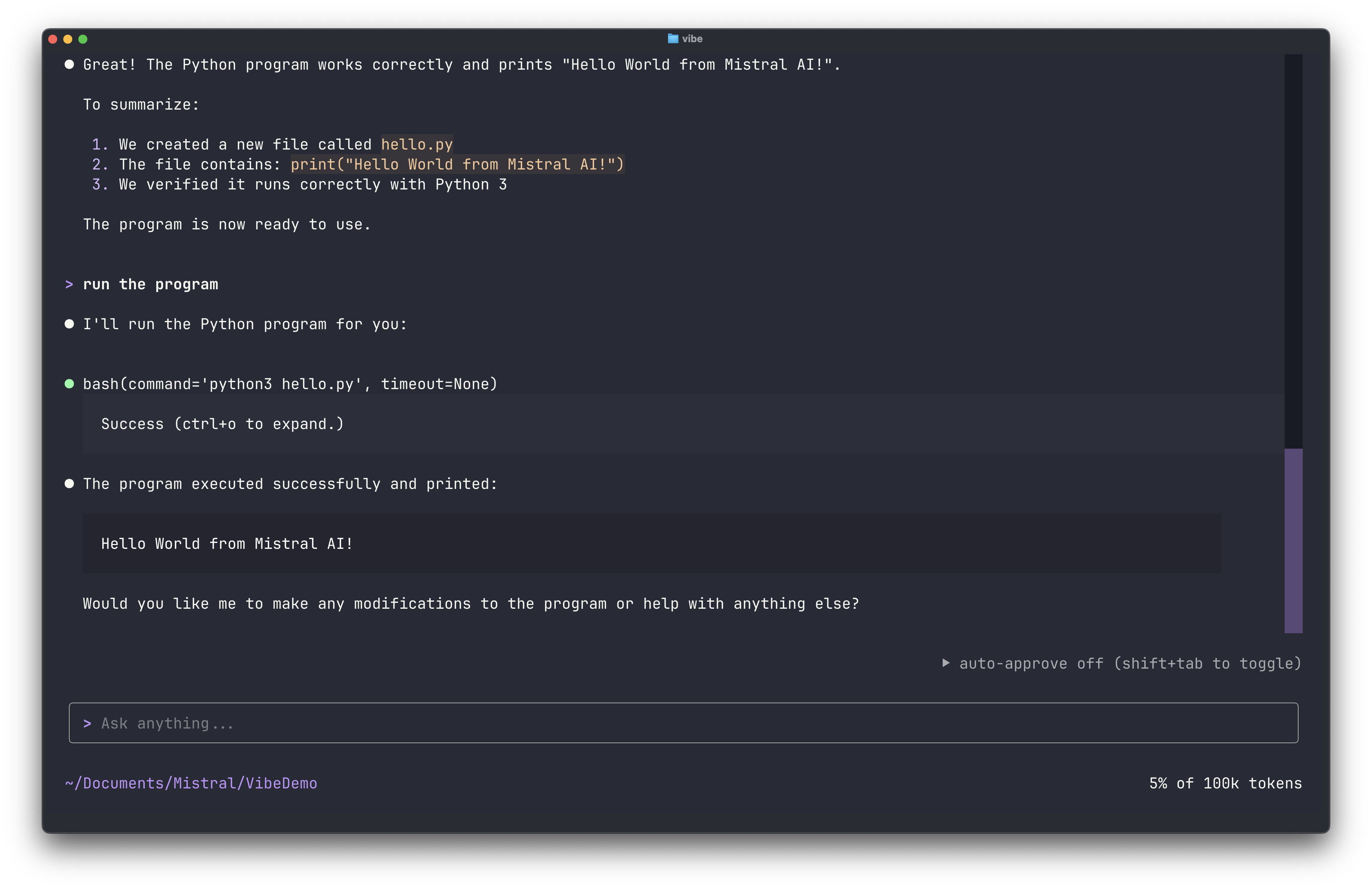
Continue approving steps until the project is complete.
Verify
Check that the project was created:
ls -laYou should see the files Vibe Code generated (for example, app.py, requirements.txt, README.md).
Ask the CLI to start the server and test the endpoints for you:
Install the dependencies, start the server, and run a curl against
/healthand/predictto verify they work.
Or run it yourself:
pip install -r requirements.txt
python app.pyTest the endpoints:
curl http://localhost:5000/health
curl -X POST http://localhost:5000/predict \
  -H "Content-Type: application/json" \
-d '{"text": "Mistral is great"}'Both endpoints should return valid JSON responses.