---
id: function_calling
title: Function Calling
sidebar_position: 10
---
# Function Calling
Function calling, under the Tool Calling umbrella, allows Mistral models to connect to external local tools. By integrating Mistral models with external tools such as user defined functions or APIs, users can build applications catering to specific use cases and practical problems. In this guide, for instance, we wrote two functions for tracking payment status and payment date. We can use these two tools to provide answers for payment-related queries.
:::tip
Before continuing, we recommend reading the [Chat Completions](/studio/conversations/chat-completion) documentation to learn more about the chat completions API and how to use it before proceeding.
:::
Before You Start
### Available Models
Currently, among the function calling capable models, we have the following non-exhaustive list:
| General Models | Specialized Models |Reasoning Models |
|------------------------------|----------------------------|----------------------------|
| [Mistral Large 3](/models/mistral-large-3-25-12)
- `mistral-large-latest` | [Devstral 2.0](/models/devstral-2-25-12)
- `devstral-latest` |[Magistral Medium 1.2](/models/magistral-medium-1-2-25-09)
- `magistral-medium-latest` |
| [Mistral Medium 3.5](/models/mistral-medium-3-5-26-04)
- `mistral-medium-latest` | [Devstral Small 2](/models/devstral-small-2-25-12)
- `devstral-small-latest` |[Magistral Small 1.2](/models/magistral-small-1-2-25-09)
- `magistral-small-latest` |
| [Mistral Small 3.2](/models/mistral-small-3-2-25-06)
- `mistral-small-latest` | [Voxtral Small](/models/voxtral-small-25-07)
- `voxtral-small-latest` | |
| [Mistral Small Creative](/models/mistral-small-creative-25-12)
- `labs-mistral-small-creative` | [Codestral](/models/codestral-25-01)
- `codestral-latest` | |
| [Ministral 3 14B](/models/ministral-3-14b-25-12)
- `ministral-14b-latest` | | |
| [Ministral 3 8B](/models/ministral-3-8b-25-12)
- `ministral-8b-latest` | | |
| [Ministral 3 3B](/models/ministral-3-3b-25-12)
- `ministral-3b-latest` | | |
For more exhaustive information about all our models, visit the [Models Page](/models).
Five Steps
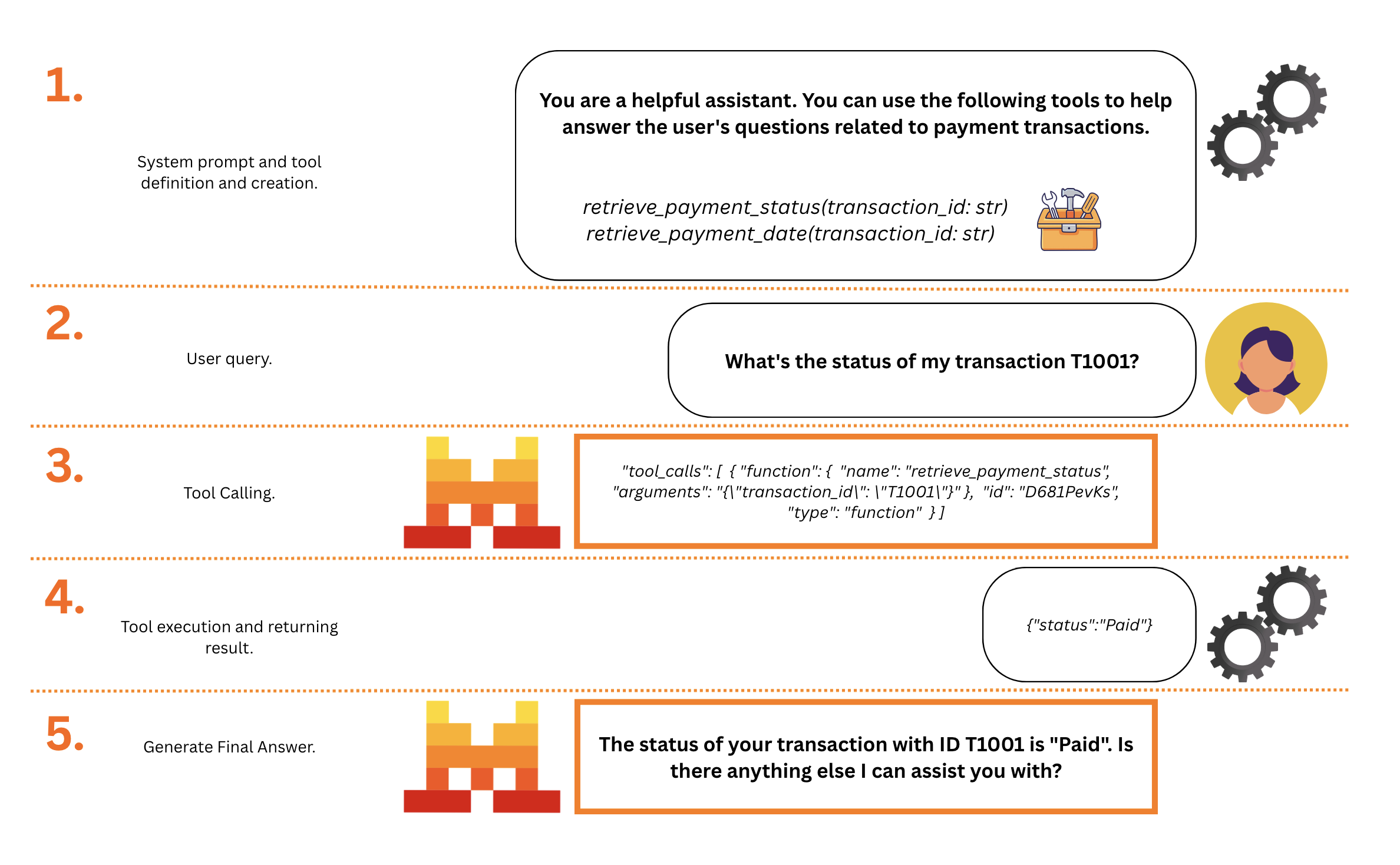
At a glance, there are five main steps with function calling:
- **[1. Developer:](#step-1)** Specify Functions/Tools, and a System Prompt (optional)
- **[2. User:](#step-2)** Query the Model powered with the new Functions/Tools
- **[3. Model:](#step-3)** Generates function arguments if applicable when necessary
- **[4. Developer:](#step-4)** Executes the corresponding function to obtain tool results
- **[5. Model:](#step-5)** Generates an answer based on the tool results
In general, a chat with function calling will always look like the following:
| Sequence Type | Role Flow |
|----------------------------------|---------------------------------------------------------------------------------------------------------|
| **No Function Call** | system* → user → assistant → user → ... |
| **Function Calling** | system* → user → assistant function call 1 → tool result 1 → assistant → user → ... |
| **Successive Function Calling** | system* → user → assistant fc.1 → tool r.1 → assistant fc.2 → tool r.2→ assistant → user → ... |
| **Parallel Function Calling** | system* → user → assistant fc.1, fc.2 → tool r.1 → tool r.2 → assistant → user → ... |
_*optional_
In this guide, we will walk through a **simple function calling example** to demonstrate how function calling works with Mistral models in these five steps.
Before we get started, let's assume we have a dataframe consisting of payment transactions. When users ask questions about this dataframe, they can use certain tools to answer questions about this data. This is just an example to emulate an external database that the LLM cannot directly access.
```python
import pandas as pd
# Assuming we have the following data
data = {
'transaction_id': ['T1001', 'T1002', 'T1003', 'T1004', 'T1005'],
'customer_id': ['C001', 'C002', 'C003', 'C002', 'C001'],
'payment_amount': [125.50, 89.99, 120.00, 54.30, 210.20],
'payment_date': ['2021-10-05', '2021-10-06', '2021-10-07', '2021-10-05', '2021-10-08'],
'payment_status': ['Paid', 'Unpaid', 'Paid', 'Paid', 'Pending']
}
# Create DataFrame
df = pd.DataFrame(data)
```
```typescript
// Assuming we have the following data
const data = {
transactionId: ['T1001', 'T1002', 'T1003', 'T1004', 'T1005'],
customerId: ['C001', 'C002', 'C003', 'C002', 'C001'],
paymentAmount: [125.5, 89.99, 120.0, 54.3, 210.2],
paymentDate: ['2021-10-05', '2021-10-06', '2021-10-07', '2021-10-05', '2021-10-08'],
paymentStatus: ['Paid', 'Unpaid', 'Paid', 'Paid', 'Pending'],
};
// Convert data into an array of objects for easier manipulation
const transactions = data.transactionId.map((id, index) => ({
transactionId: id,
customerId: data.customerId[index],
paymentAmount: data.paymentAmount[index],
paymentDate: data.paymentDate[index],
paymentStatus: data.paymentStatus[index],
}));
```
Step 1. Developer
### Functions and System Definitions
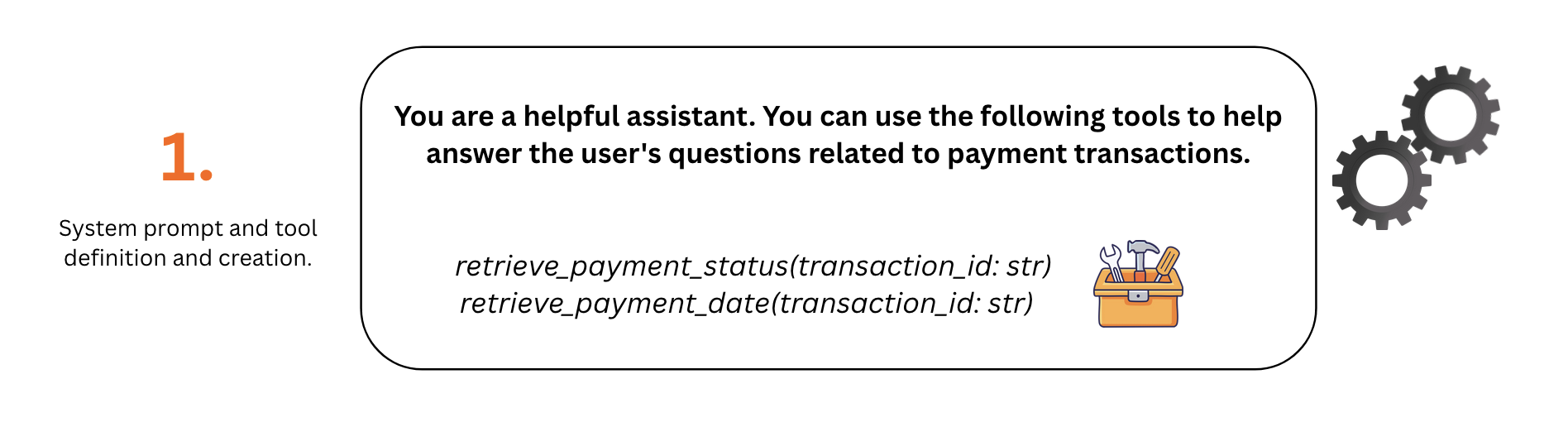
Developers can define all the necessary tools for their use cases. Often, we might have multiple tools at our disposal. For this example, let's consider we have two functions as our two tools:
- `retrieve_payment_status`: To retrieve payment status given a transaction ID.
- `retrieve_payment_date`: To retrieve payment date given a transaction ID.
```python
def retrieve_payment_status(transaction_id: str) -> str:
"Get payment status of a transaction"
if transaction_id in df.transaction_id.values:
return json.dumps({'status': df[df.transaction_id == transaction_id].payment_status.item()})
return json.dumps({'error': 'transaction id not found.'})
def retrieve_payment_date(transaction_id: str) -> str:
"Get payment date of a transaction"
if transaction_id in df.transaction_id.values:
return json.dumps({'date': df[df.transaction_id == transaction_id].payment_date.item()})
return json.dumps({'error': 'transaction id not found.'})
```
```typescript
function retrievePaymentStatus(transactionId) {
const transaction = transactions.find(t => t.transactionId === transactionId);
if (transaction) {
return JSON.stringify({ status: transaction.paymentStatus });
}
return JSON.stringify({ error: 'transaction id not found.' });
}
function retrievePaymentDate(transactionId) {
const transaction = transactions.find(t => t.transactionId === transactionId);
if (transaction) {
return JSON.stringify({ date: transaction.paymentDate });
}
return JSON.stringify({ error: 'transaction id not found.' });
}
```
For ease of use, we will organize the two functions into a dictionary where keys represent the functions names, and values are the functions themselves.
**This allows us to dynamically call each function based on its function name.**
```python
names_to_functions = {
'retrieve_payment_status': retrieve_payment_status,
'retrieve_payment_date': retrieve_payment_date,
}
```
```typescript
const namesToFunctions = {
retrievePaymentStatus: retrievePaymentStatus,
retrievePaymentDate: retrievePaymentDate,
};
```
When setting up a model capable of function calling and agentic workflows, it is **recommended to provide context and custom instructions** under the `system` role umbrella. You can do this by adding a `system` message to the chat history.
For this example, we will define a very simple system prompt to guide the model on how to use the provided tools.
```python
messages = [
{
"role": "system",
"content": "You are a helpful assistant. You can use the following tools to help answer the user's questions related to payment transactions."
}
]
```
```typescript
const messages = [
{
role: 'system',
content: 'You are a helpful assistant. You can use the following tools to help answer the user\'s questions related to payment transactions.'
},
];
```
In order for models to understand these functions, we need to outline the **function specifications with a JSON schema**. Specifically, we need to describe the type, function name, function description, function parameters, and the required parameter for the function. Since we have two functions here, let's list two function specifications in a list.
```python
tools = [
{
"type": "function",
"function": {
"name": "retrieve_payment_status",
"description": "Get payment status of a transaction",
"parameters": {
"type": "object",
"properties": {
"transaction_id": {
"type": "string",
"description": "The transaction id.",
}
},
"required": ["transaction_id"],
},
},
},
{
"type": "function",
"function": {
"name": "retrieve_payment_date",
"description": "Get payment date of a transaction",
"parameters": {
"type": "object",
"properties": {
"transaction_id": {
"type": "string",
"description": "The transaction id.",
}
},
"required": ["transaction_id"],
},
},
}
]
# Note: You can specify multiple parameters for each function in the `properties` object.
```
```typescript
const tools = [
{
type: 'function',
function: {
name: 'retrievePaymentStatus',
description: 'Get payment status of a transaction',
parameters: {
type: 'object',
properties: {
transactionId: {
type: 'string',
description: 'The transaction id.',
},
},
required: ['transactionId'],
},
},
},
{
type: 'function',
function: {
name: 'retrievePaymentDate',
description: 'Get payment date of a transaction',
parameters: {
type: 'object',
properties: {
transactionId: {
type: 'string',
description: 'The transaction id.',
},
},
required: ['transactionId'],
},
},
},
];
// Note: You can specify multiple parameters for each function in the `properties` object.
```
```json
"tools": [
{
"type": "function",
"function": {
"name": "retrieve_payment_status",
"description": "Get payment status of a transaction",
"parameters": {
"type": "object",
"properties": {
"transaction_id": {
"type": "string",
"description": "The transaction id.",
}
},
"required": ["transaction_id"],
},
},
},
{
"type": "function",
"function": {
"name": "retrieve_payment_date",
"description": "Get payment date of a transaction",
"parameters": {
"type": "object",
"properties": {
"transaction_id": {
"type": "string",
"description": "The transaction id.",
}
},
"required": ["transaction_id"],
},
},
}
]
```
Step 2. User
### Query the Model
With our functions and instructions ready, lets Suppose a user asks the following question: "What's the status of my transaction T1001?" A standalone LLM would not be able to answer this question, as it needs to query the business logic backend to access the necessary data. **But with function calling, we can use the tools we have defined to answer accordingly.**
```python
messages.append({"role": "user", "content": "What's the status of my transaction T1001?"})
```
```typescript
messages.push({ role: 'user', content: 'What\'s the status of my transaction T1001?' });
```
The previous question expects the model to use the `retrieve_payment_status` function to get the payment status of transaction T1001.
Step 3. Model
### Generate Function Arguments
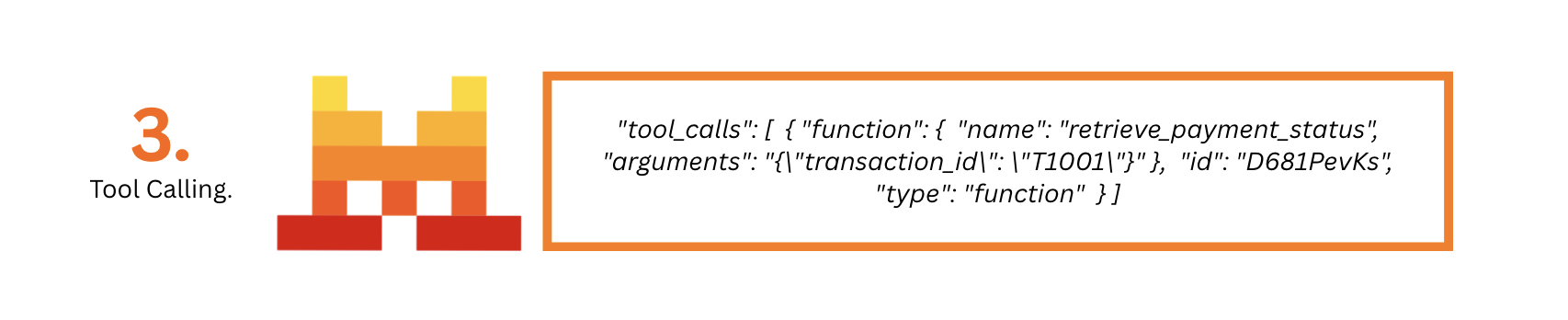
How do models know about these functions and know which function to use? We provide both the user query and the tools specifications to models. The goal in this step is not for the Mistral model to run the function directly. It's to:
- Determine the appropriate function to use.
- Identify if there is any essential information missing for a function.
- Generate necessary arguments for the chosen function.
Developers can use `tool_choice` to specify how tools are used:
- "auto": default mode. Model decides if it uses the tool or not.
- "any": forces tool use.
- "none": prevents tool use.
And `parallel_tool_calls` to specify whether parallel tool calling is allowed.
- true: default mode. The model decides if it uses parallel tool calls or not.
- false: forces the model to use single tool calling.
With all our tools, system and query ready, we can call the model to **either reply or use the tools, generating the necessary arguments for the chosen function**.
```python
import os
from mistralai import Mistral
api_key = os.environ["MISTRAL_API_KEY"]
model = "mistral-large-latest"
client = Mistral(api_key=api_key)
response = client.chat.complete(
model = model, # The model we want to use
messages = messages, # The message history, in this example we have a system (optional) + user query.
tools = tools, # The tools specifications
tool_choice = "any",
parallel_tool_calls = False,
)
```
```python
import os
from mistralai.client import Mistral
api_key = os.environ["MISTRAL_API_KEY"]
model = "mistral-large-latest"
client = Mistral(api_key=api_key)
response = client.chat.complete(
model = model, # The model we want to use
messages = messages, # The message history, in this example we have a system (optional) + user query.
tools = tools, # The tools specifications
tool_choice = "any",
parallel_tool_calls = False,
)
```
```typescript
import { Mistral } from '@mistralai/mistralai';
const apiKey = process.env.MISTRAL_API_KEY;
const model = 'mistral-large-latest';
const client = new Mistral({ apiKey: apiKey });
let response = await client.chat.complete({
model: model, # The model we want to use
messages: messages, # The message history, in this example we have a system (optional) + user query.
tools: tools, # The tools specifications
toolChoice: 'any',
parallelToolCalls: false,
});
```
```json
{
"id": "7cbd8962041442459eb3636e1e3cbf10",
"object": "chat.completion",
"model": "mistral-large-latest",
"usage": {
"prompt_tokens": 94,
"completion_tokens": 30,
"total_tokens": 124
},
"created": 1721403550,
"choices": [
{
"index": 0,
"finish_reason": "tool_calls",
"message": {
"content": "",
"tool_calls": [
{
"function": {
"name": "retrieve_payment_status",
"arguments": "{\"transaction_id\": \"T1001\"}"
},
"id": "D681PevKs",
"type": "function"
}
],
"prefix": false,
"role": "assistant"
}
}
]
}
```
The model provided a tool call as a response, visit the raw output for more information:
```json
[
{
"function": {
"name": "retrieve_payment_status",
"arguments": "{\"transaction_id\": \"T1001\"}"
},
"id": "D681PevKs",
"type": "function"
}
]
```
Let's add the response message to the `messages` list history to continue the conversation.
```python
messages.append(response.choices[0].message)
```
```typescript
messages.push(response.choices[0].message);
```
Here, we got the response including `tool_calls` with the chosen function name `retrieve_payment_status` and the arguments for this function, the next step is to execute the function.
Step 4. Developer
### Execute Functions
How do we execute the function? Currently, it is the developer's responsibility to execute these functions and the function execution lies on the user/developer side. We have also introduced some tools executed server side for our Agents and Conversations API, visit [Tools](/studio/agents/agent-tools).
To execute it, we extract some useful function information from the model response including `function_name` and `function_params`. It's clear here that our model has chosen to use `retrieve_payment_status` with the parameter `transaction_id` set to T1001.
```python
import json
tool_call = response.choices[0].message.tool_calls[0]
function_name = tool_call.function.name # The function name to call
function_params = json.loads(tool_call.function.arguments) # The function arguments
print("\nfunction_name: ", function_name, "\nfunction_params: ", function_params)
```
```typescript
const toolCall = response.choices[0].message.toolCalls[0];
const functionName = toolCall.function.name; // The function name to call
const functionParams = JSON.parse(toolCall.function.arguments); // The function arguments
console.log(
'\nfunction_name: ',
functionName,
'\nfunction_params: ',
functionParams
);
```
```json
function_name: retrievePaymentStatus
function_params: { transactionId: 'T1001' }
```
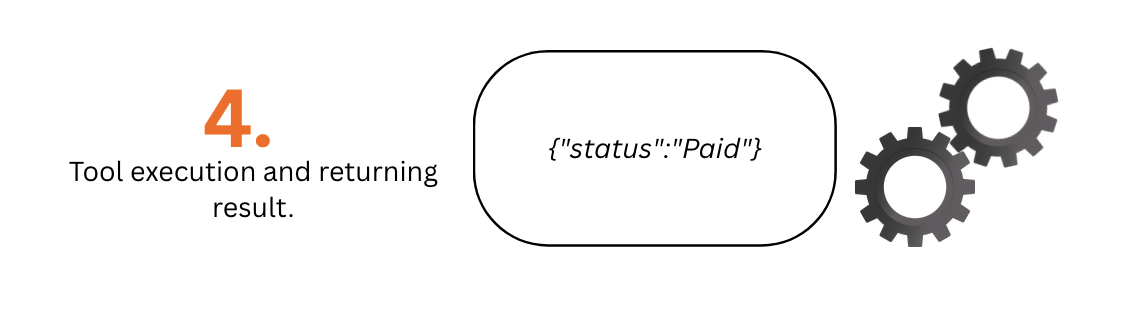
We then execute the corresponding function and we get the function output `'{"status": "Paid"}'`.
```python
function_result = names_to_functions[function_name](**function_params)
print(function_result)
```
```typescript
const functionResult = namesToFunctions[functionName](
functionParams.transactionId
);
console.log(functionResult);
```
```json
{"status":"Paid"}
```
Step 5. Model
### Generate Followup Answer
We can now provide the output from the tools/functions to our model, and in return, the model can produce a customised final response for the specific user (or in some cases, another tool call)
```python
messages.append({
"role":"tool",
"name":function_name,
"content":function_result,
"tool_call_id":tool_call.id
})
response = client.chat.complete(
model = model,
messages = messages
)
response.choices[0].message.content
```
```typescript
messages.push({
role: 'tool',
name: functionName,
content: functionResult,
toolCallId: toolCall.id,
});
response = await client.chat.complete({
model: model,
messages: messages,
});
console.log(response.choices[0].message.content);
```
```json
The status of your transaction with ID T1001 is "Paid". Is there anything else I can assist you with?
```
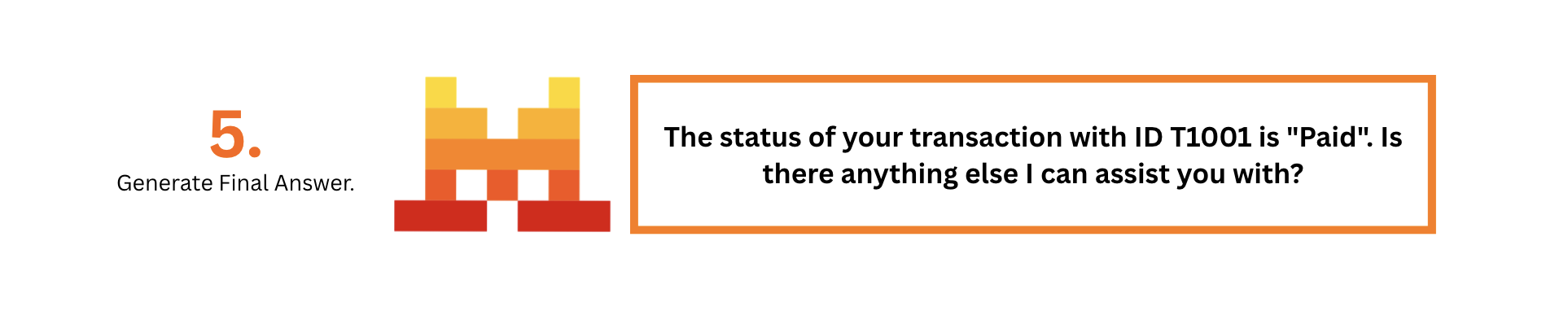
Our model has successfully generated a response using the output from the tool, providing the final answer:
- **"The status of your transaction with ID T1001 is Paid. Is there anything else I can assist you with?"**
:::note
A model is allowed to followup a tool call with another tool call. To handle such scenarios, you should **recursively call the model with the new tool call until it generates a final answer**.
:::
Full Example
Below you can find a full example of the above steps looping to simulate a chat session, interactivelly handling successive and/or parallel tool calls.
```python
# Imports
import pandas as pd
import os
from mistralai import Mistral
import json
# Example Dataset to query from
data = {
'transaction_id': ['T1001', 'T1002', 'T1003', 'T1004', 'T1005'],
'customer_id': ['C001', 'C002', 'C003', 'C002', 'C001'],
'payment_amount': [125.50, 89.99, 120.00, 54.30, 210.20],
'payment_date': ['2021-10-05', '2021-10-06', '2021-10-07', '2021-10-05', '2021-10-08'],
'payment_status': ['Paid', 'Unpaid', 'Paid', 'Paid', 'Pending']
}
df = pd.DataFrame(data)
# Functions to be used as tools
def retrieve_payment_status(transaction_id: str) -> str:
"Get payment status of a transaction"
if transaction_id in df.transaction_id.values:
return json.dumps({'status': df[df.transaction_id == transaction_id].payment_status.item()})
return json.dumps({'error': 'transaction id not found.'})
def retrieve_payment_date(transaction_id: str) -> str:
"Get payment date of a transaction"
if transaction_id in df.transaction_id.values:
return json.dumps({'date': df[df.transaction_id == transaction_id].payment_date.item()})
return json.dumps({'error': 'transaction id not found.'})
# Map function names to the functions
names_to_functions = {
'retrieve_payment_status': retrieve_payment_status,
'retrieve_payment_date': retrieve_payment_date,
}
# Define the system prompt
messages = [
{
"role": "system",
"content": "You are a helpful assistant. You can use the following tools to help answer the user's questions related to payment transactions."
}
]
# Define the tools specifications
tools = [
{
"type": "function",
"function": {
"name": "retrieve_payment_status",
"description": "Get payment status of a transaction",
"parameters": {
"type": "object",
"properties": {
"transaction_id": {
"type": "string",
"description": "The transaction id.",
}
},
"required": ["transaction_id"],
},
},
},
{
"type": "function",
"function": {
"name": "retrieve_payment_date",
"description": "Get payment date of a transaction",
"parameters": {
"type": "object",
"properties": {
"transaction_id": {
"type": "string",
"description": "The transaction id.",
}
},
"required": ["transaction_id"],
},
},
}
]
# Note: You can specify multiple parameters for each function in the `properties` object.
# Initialize the client and model
api_key = os.environ["MISTRAL_API_KEY"]
model = "mistral-large-latest"
client = Mistral(api_key=api_key)
temperature = 0.1
top_p = 0.9
# Chat loop
while True:
# The user query, example: "What's the status of my transaction T1001? After receiving the answer, provide the current status of T1001. Afte that, look for the next one between T1002 if previous status was 'Paid' and T1003 if previous status was 'Unpaid'."
user_query = input("User: ")
if not user_query:
break
messages.append({"role": "user", "content": user_query})
# Call the model
response = client.chat.complete(
model = model,
messages = messages,
tools = tools,
temperature = temperature,
top_p = top_p
)
# Add the response message to the messages list
messages.append(response.choices[0].message)
# Retrieve the function name and arguments if any, interactively until the model returns a final answer
while response.choices[0].message.tool_calls:
# Print content in case we have interleaved tool calls and text content
if response.choices[0].message.content:
print("Assistant:", response.choices[0].message.content)
# Handle each tool call
for tool_call in response.choices[0].message.tool_calls:
function_name = tool_call.function.name # The function name to call
function_params = json.loads(tool_call.function.arguments) # The function arguments
function_result = names_to_functions[function_name](**function_params) # The function result
# Print the function call
print(f"Tool {tool_call.id}:", f"{function_name}({function_params}) -> {function_result}")
# Add the function result to the messages list and call model
messages.append({
"role":"tool",
"name":function_name,
"content":function_result,
"tool_call_id":tool_call.id
})
response = client.chat.complete(
model = model,
messages = messages,
tools = tools,
temperature = temperature,
top_p = top_p
)
# Add the new response message to the messages list
messages.append(response.choices[0].message)
# Print the final answer
print("Assistant:", response.choices[0].message.content)
```
```python
# Imports
import pandas as pd
import os
from mistralai.client import Mistral
import json
# Example Dataset to query from
data = {
'transaction_id': ['T1001', 'T1002', 'T1003', 'T1004', 'T1005'],
'customer_id': ['C001', 'C002', 'C003', 'C002', 'C001'],
'payment_amount': [125.50, 89.99, 120.00, 54.30, 210.20],
'payment_date': ['2021-10-05', '2021-10-06', '2021-10-07', '2021-10-05', '2021-10-08'],
'payment_status': ['Paid', 'Unpaid', 'Paid', 'Paid', 'Pending']
}
df = pd.DataFrame(data)
# Functions to be used as tools
def retrieve_payment_status(transaction_id: str) -> str:
"Get payment status of a transaction"
if transaction_id in df.transaction_id.values:
return json.dumps({'status': df[df.transaction_id == transaction_id].payment_status.item()})
return json.dumps({'error': 'transaction id not found.'})
def retrieve_payment_date(transaction_id: str) -> str:
"Get payment date of a transaction"
if transaction_id in df.transaction_id.values:
return json.dumps({'date': df[df.transaction_id == transaction_id].payment_date.item()})
return json.dumps({'error': 'transaction id not found.'})
# Map function names to the functions
names_to_functions = {
'retrieve_payment_status': retrieve_payment_status,
'retrieve_payment_date': retrieve_payment_date,
}
# Define the system prompt
messages = [
{
"role": "system",
"content": "You are a helpful assistant. You can use the following tools to help answer the user's questions related to payment transactions."
}
]
# Define the tools specifications
tools = [
{
"type": "function",
"function": {
"name": "retrieve_payment_status",
"description": "Get payment status of a transaction",
"parameters": {
"type": "object",
"properties": {
"transaction_id": {
"type": "string",
"description": "The transaction id.",
}
},
"required": ["transaction_id"],
},
},
},
{
"type": "function",
"function": {
"name": "retrieve_payment_date",
"description": "Get payment date of a transaction",
"parameters": {
"type": "object",
"properties": {
"transaction_id": {
"type": "string",
"description": "The transaction id.",
}
},
"required": ["transaction_id"],
},
},
}
]
# Note: You can specify multiple parameters for each function in the `properties` object.
# Initialize the client and model
api_key = os.environ["MISTRAL_API_KEY"]
model = "mistral-large-latest"
client = Mistral(api_key=api_key)
temperature = 0.1
top_p = 0.9
# Chat loop
while True:
# The user query, example: "What's the status of my transaction T1001? After receiving the answer, provide the current status of T1001. Afte that, look for the next one between T1002 if previous status was 'Paid' and T1003 if previous status was 'Unpaid'."
user_query = input("User: ")
if not user_query:
break
messages.append({"role": "user", "content": user_query})
# Call the model
response = client.chat.complete(
model = model,
messages = messages,
tools = tools,
temperature = temperature,
top_p = top_p
)
# Add the response message to the messages list
messages.append(response.choices[0].message)
# Retrieve the function name and arguments if any, interactively until the model returns a final answer
while response.choices[0].message.tool_calls:
# Print content in case we have interleaved tool calls and text content
if response.choices[0].message.content:
print("Assistant:", response.choices[0].message.content)
# Handle each tool call
for tool_call in response.choices[0].message.tool_calls:
function_name = tool_call.function.name # The function name to call
function_params = json.loads(tool_call.function.arguments) # The function arguments
function_result = names_to_functions[function_name](**function_params) # The function result
# Print the function call
print(f"Tool {tool_call.id}:", f"{function_name}({function_params}) -> {function_result}")
# Add the function result to the messages list and call model
messages.append({
"role":"tool",
"name":function_name,
"content":function_result,
"tool_call_id":tool_call.id
})
response = client.chat.complete(
model = model,
messages = messages,
tools = tools,
temperature = temperature,
top_p = top_p
)
# Add the new response message to the messages list
messages.append(response.choices[0].message)
# Print the final answer
print("Assistant:", response.choices[0].message.content)
```
```typescript
import { Mistral } from '@mistralai/mistralai';
// Example dataset to query from
const data = {
transactionId: ['T1001', 'T1002', 'T1003', 'T1004', 'T1005'],
customerId: ['C001', 'C002', 'C003', 'C002', 'C001'],
paymentAmount: [125.5, 89.99, 120.0, 54.3, 210.2],
paymentDate: ['2021-10-05', '2021-10-06', '2021-10-07', '2021-10-05', '2021-10-08'],
paymentStatus: ['Paid', 'Unpaid', 'Paid', 'Paid', 'Pending'],
};
// Convert data into an array of objects for easier manipulation
const transactions = data.transactionId.map((id, index) => ({
transactionId: id,
customerId: data.customerId[index],
paymentAmount: data.paymentAmount[index],
paymentDate: data.paymentDate[index],
paymentStatus: data.paymentStatus[index],
}));
// Functions to be used as tools
function retrievePaymentStatus(transactionId: string): string {
const transaction = transactions.find(t => t.transactionId === transactionId);
if (transaction) {
return JSON.stringify({ status: transaction.paymentStatus });
}
return JSON.stringify({ error: 'Transaction ID not found.' });
}
function retrievePaymentDate(transactionId: string): string {
const transaction = transactions.find(t => t.transactionId === transactionId);
if (transaction) {
return JSON.stringify({ date: transaction.paymentDate });
}
return JSON.stringify({ error: 'Transaction ID not found.' });
}
// Map function names to the functions
const namesToFunctions: Record string> = {
retrievePaymentStatus,
retrievePaymentDate,
};
// Define the system prompt
let messages: Array<{ role: string; content: string } | { role: string; name?: string; content: string; toolCallId?: string }> = [
{
role: 'system',
content: 'You are a helpful assistant. You can use the following tools to help answer the user\'s questions related to payment transactions.',
},
];
// Define the tools specifications
const tools = [
{
type: 'function',
function: {
name: 'retrievePaymentStatus',
description: 'Get payment status of a transaction',
parameters: {
type: 'object',
properties: {
transactionId: {
type: 'string',
description: 'The transaction ID.',
},
},
required: ['transactionId'],
},
},
},
{
type: 'function',
function: {
name: 'retrievePaymentDate',
description: 'Get payment date of a transaction',
parameters: {
type: 'object',
properties: {
transactionId: {
type: 'string',
description: 'The transaction ID.',
},
},
required: ['transactionId'],
},
},
},
];
// Initialize the client and model
const apiKey = process.env.MISTRAL_API_KEY;
const model = 'mistral-large-latest';
const client = new Mistral({ apiKey });
const temperature = 0.1;
const topP = 0.9;
// Chat loop
async function chatLoop() {
while (true) {
// The user query, example: "What's the status of my transaction T1001? After receiving the answer, provide the current status of T1001. Afte that, look for the next one between T1002 if previous status was 'Paid' and T1003 if previous status was 'Unpaid'."
const userQuery = await new Promise((resolve) => {
const readline = require('readline').createInterface({
input: process.stdin,
output: process.stdout,
});
readline.question('User: ', (answer: string) => {
readline.close();
resolve(answer);
});
});
if (!userQuery) break;
messages.push({ role: 'user', content: userQuery });
// Call the model
let response = await client.chat.complete({
model: model,
messages: messages,
tools: tools,
temperature: temperature,
topP: topP
});
// Add the response message to the messages list
messages.push(response.choices[0].message);
// Retrieve the function name and arguments if any, interactively until the model returns a final answer
while (response.choices[0].message.toolCalls) {
// Print content in case we have interleaved tool calls and text content
if (response.choices[0].message.content) {
console.log('Assistant:', response.choices[0].message.content);
}
// Handle each tool call
for (const toolCall of response.choices[0].message.toolCalls) {
const functionName = toolCall.function.name; // The function name to call
const functionParams = JSON.parse(toolCall.function.arguments); // The function arguments
const functionResult = namesToFunctions[functionName](functionParams.transactionId); // The function result
// Print the function call
console.log(`Tool ${toolCall.id}:`, `${functionName}(${JSON.stringify(functionParams)}) -> ${functionResult}`);
// Add the function result to the messages list
messages.push({
role: 'tool',
name: functionName,
content: functionResult,
toolCallId: toolCall.id,
});
}
// Call the model again with the tool results
response = await client.chat.complete({
model: model,
messages: messages,
tools: tools,
temperature: temperature,
topP: topP
});
// Add the new response message to the messages list
messages.push(response.choices[0].message);
}
// Print the final answer
console.log('Assistant:', response.choices[0].message.content);
}
}
// Start the chat loop
chatLoop().catch(console.error);
```
More
If you are interested in function calling and want to explore built-in solutions, MCP, and other agentic use cases, we invite you to visit the Agents documentation [here](/studio/agents/introduction).